What's New in Holoscan 4.2: GPU-Resident DAGs, Production Branch 6 Alignment, and Holohub Momentum
Written May 13, 2026
Holoscan SDK 4.2 builds directly on the GPU-resident runtime introduced in 4.0, sharpens the production stack for long-lived deployments, and lands alongside a fresh wave of reference applications on Holohub. It's a focused, developer-facing release: fewer headline features than 4.0, but every change tightens the path from prototype to deployed physical AI system.
You can grab it today as a Docker container (v4.2.0-cuda13, v4.2.0-cuda12-dgpu, v4.2.0-cuda12-igpu), a Python wheel (pip install holoscan==4.2.0), or as Debian packages (4.2.0.1-1).
GPU-Resident Graphs Now Support DAGs
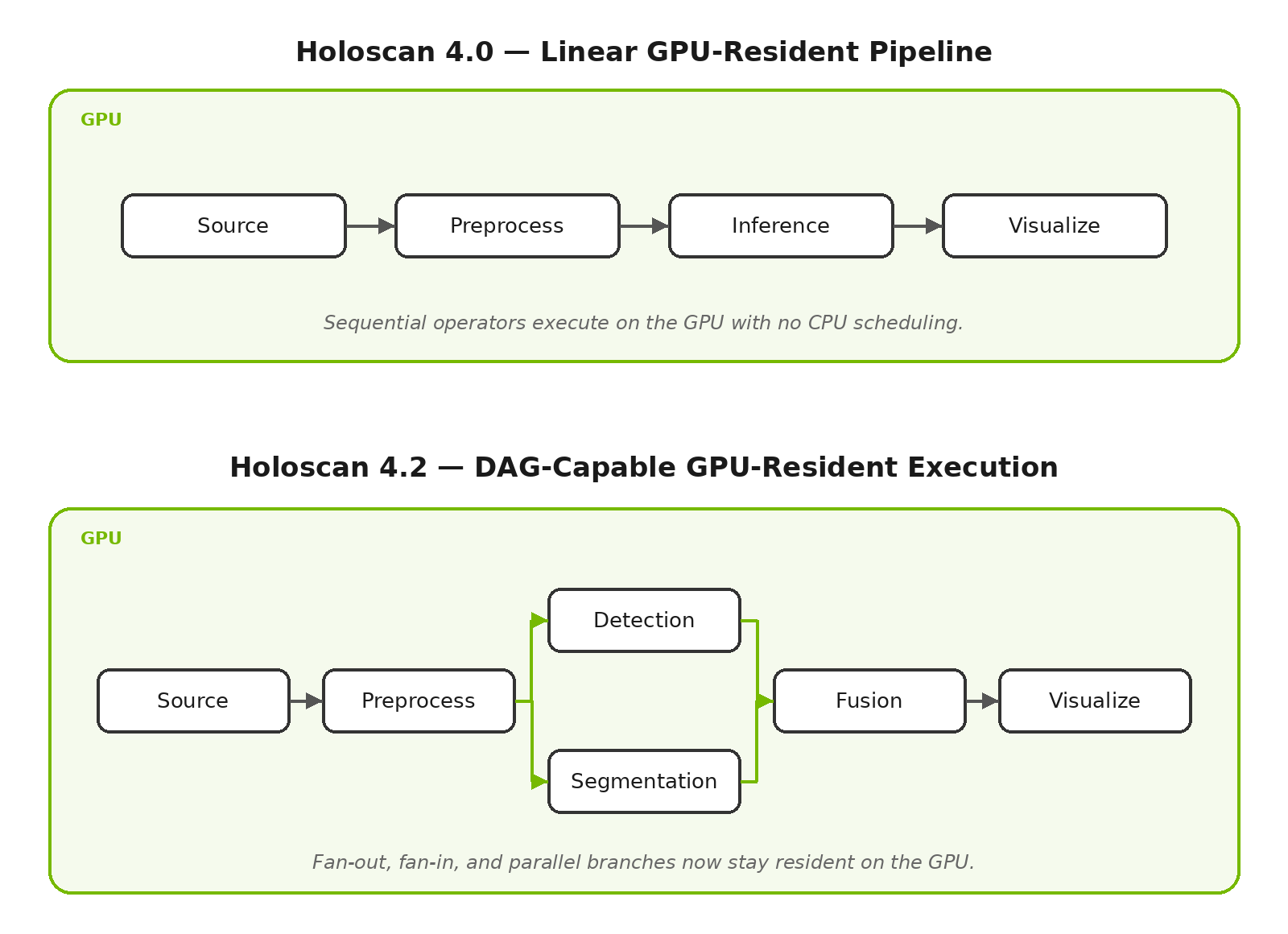
In 4.0 we introduced GPU-resident graph execution — running an entire compute graph end-to-end on the GPU with no CPU scheduling — to dramatically reduce jitter and shrink the API surface area for regulated products. In 4.2, GPU-resident execution now supports a full Directed Acyclic Graph (DAG) of operators, not just linear pipelines. Multi-branch fan-out, fan-in, and parallel paths can all stay resident on the GPU, which means more real applications — multi-sensor fusion, multi-stage perception, parallel pre- and post-processing — can take advantage of GPU-resident determinism. Combined with the new device-side debug prints (enabled when HOLOSCAN_LOG_LEVEL=DEBUG), bringing up complex graphs on the GPU is now considerably more tractable.
Production Branch 6 Alignment
Holoscan 4.2 aligns the development stack with NVIDIA Production Branch 6, bringing in coordinated upgrades across the entire dependency surface: CUDA 13.2, TensorRT 10.16 (CUDA 13), GXF 5.6, ONNX Runtime 1.24.2, PyTorch 2.11.0, NCCL 2.29, UCX 1.20.0, NSight Systems 2026.2.1, RMM 26.02.00, and CCCL 3.2.0. The CUDA 13 release container is now based on the Deep Learning Framework TensorRT 26.03 image. For most users this means newer kernels, better profiling, and PyTorch compatibility out of the box. If you're upgrading, note a couple of migration items: RMM 26.02 has API changes, magic_enum 0.9.7 requires header path updates, and CUDA 13.2 needs an R595 driver for full support (R580 works under CUDA minor compatibility — see CUDA Compatibility).
MatX Targets Now Exported
A small but welcome quality-of-life change: matx-config.cmake is now exported as part of the Holoscan SDK installation. Downstream projects can link against the embedded MatX library directly:
find_package(holoscan)
target_link_libraries(my_library PUBLIC matx::matx)
No more vendoring or version-juggling — your GPU-accelerated numerical code can pick up the same MatX that Holoscan uses internally.
Real-Time Scheduling Benchmark
For teams pushing toward bounded, deterministic latency, 4.2 adds a new benchmark that measures SCHED_DEADLINE scheduling of Holoscan operators under load — specifically with background operators and a pinned scheduler dispatcher thread. If you're characterizing a system for industrial control, medical, or automotive workloads where worst-case timing matters more than average throughput, this is a useful starting point.
What's New on Holohub
The reference application catalog at Holohub saw meaningful expansion in April that's worth highlighting alongside the SDK release:
- Video Recording with GStreamer — record any Holoscan video stream to file with GStreamer encoding, supporting H.264, H.265, VP8, and VP9, from both host and device memory.
- Multi-Object Detection & Tracking with TAK — a real-time MOT application that integrates with a Team Awareness Kit (TAK) server, useful for situational awareness and multi-camera deployments.
- Tracks2Endo4D — real-time 3D point tracking and camera parameter estimation from video, targeted at surgical and endoscopic workflows.
- High-Speed Endoscopy — refreshed for the latest SDK on April 1.
- DDS Video — read and write video frames over a DDS databus for flexible integration between Holoscan applications.
Each of these is a working starting point you can clone, build with ./holohub run <app>, and adapt.
Looking Ahead
A known issue with PresentDoneCondition on platforms without VK_KHR_present_wait (e.g. NVIDIA IGX Thor iGPU/dGPU, Jetson Orin iGPU) is tracked for a fix in 4.3 — use FirstPixelOutCondition as an interim workaround. The full list of known issues is in the release notes.
Getting Started
The fastest way to try 4.2 is pip install holoscan==4.2.0, or pull the container from NGC. Full details — including the complete dependency table, known issues, and platform compatibility — are in the v4.2.0 release notes and the Holoscan SDK User Guide. Join the conversation on the NVIDIA Developer Forum or Discord, and explore the source on GitHub. As always, contributions to Holohub are welcome — if you've built something on Holoscan, we'd love to see it land in the reference catalog.